
6 Presentation Templates You Need for Wrapping Up the Year Effectively
December 19, 2025
•
EDUCATIONAL GUIDE
Introduction: How the Right Presentation Templates Help You Close the Year with Impact
As the year comes to a close, teams want to reflect, evaluate, and plan what comes next. If you’re reviewing performance, celebrating milestones, aligning your team, or setting goals for the year ahead, then it matters more how you present this information.
End-of-year presentations are moments of clarity; they help teams to understand progress and leadership vision, so organizations close the year with confidence. That’s why choosing the right presentation templates can make a meaningful difference in how your message is received.
In recent years, AI presentation templates have transformed the way these decks are created. Instead of building slides manually from scratch, modern tools now help structure content, apply clean layouts, maintain consistency, and save your time – RocketSlide is one of them.
In this guide, we’ll discuss six essential presentation templates you need to effectively wrap up the year. These templates work across business, education, and team environments, and they’re designed to help you close the year on a strong, thoughtful note.
End-of-Year Presentations Matter More Than You Think
Presentations often carry more emotional and strategic weight than regular decks. They combine reflection with anticipation, like what worked, what didn’t, and what lies ahead.
A well-designed presentation:
- Builds trust through transparency
- Reinforces alignment across teams
- Highlights progress clearly
- Sets expectations for the future
Using the right PowerPoint presentation templates will help your message stay focused and professional.
To make your year-end slides feel easy to follow, it’s equally important to focus on structure and flow. This guide on how to make your presentation flow explains simple ways to keep your slides well-structured and audience-friendly.
Psychological Impact of Year-End Reviews
End-of-year presentations are more than just summaries of numbers and achievements. They play an important psychological role for teams and leadership alike. These presentations provide closure for the year that has passed and create a sense of direction for the year ahead.
When teams clearly see what they have achieved, it gives confidence and motivation. Recognizing challenges and lessons learned also creates a culture of transparency and growth. A well-structured presentation helps people process information easily, reducing confusion and increasing engagement.
This is why clarity, flow, and visual structure matter so much in year-end presentations. The right presentation template ensures your message feels intentional, balanced, and forward-looking, rather than rushed or overwhelming.
Now, let’s discuss the 6 presentation templates for wrapping up the year:
1. Annual Performance Review Template
The annual performance review is one of the most used year-end presentations. It helps leadership communicate outcomes clearly while giving visibility into results.
This template includes:
- Key goals set at the beginning of the year
- Performance metrics and KPIs
- Department-level highlights
- \Wins, challenges, and learnings
A strong performance review template relies on structure and clarity. Instead of more paragraphs, it uses visual hierarchy, charts, and concise summaries to guide the audience.
Modern AI PowerPoint templates can help automate this process by organizing raw data into clean, readable slides.
2. Year-in-Review Summary Template
A year-in-review presentation focuses on storytelling. It highlights key moments, milestones, and significant progress throughout the year.
This type of template works especially for:
- Internal company meetings
- Team celebrations
- Educational institutions
- Community or nonprofit organizations
Typical sections include:
- Major achievements
- Project highlights
- Growth milestones
- Key moments worth celebrating
Using presentation templates ensures your story flows naturally from beginning to end. AI-assisted layouts can help maintain rhythm and balance across slides.
3. Financial Summary & Budget Overview Template
Financial presentations often get overwhelming quickly, especially at year-end. Numbers pile up, and without a clear structure, audiences can lose focus.
A financial wrap-up template helps simplify complexity by:
- Highlighting top-level figures first
- Breaking down revenue and expenses visually
- Showing trends instead of raw data blocks
- Clearly separating actuals vs projections
Financial slides can be automatically formatted with consistent charts, spacing, and labeling with the help of AI presentation templates. This template is especially valuable for leadership reviews, board meetings, and investor updates.
4. Team Reflection & Retrospective Template
Not every end-of-year presentation needs to be formal. A team retrospective template provides a space for reflection, learning, and open conversation.
This template includes:
- What went well
- What could have been better
- Lessons learned
- Team contributions and appreciation
It works well in agile teams, startups, and collaborative environments where growth is continuous.
Well-structured templates can help teams provide feedback in sections that feel constructive, ensuring the presentation supports a positive, forward-looking discussion.
5. Strategic Planning & Goals Template for the New Year
Wrapping up the year leads to the planning of next year. A strategic planning presentation bridges reflection and action.
This template covers:
- Key insights from the past year
- Strategic priorities for the coming year
- High-level goals and initiatives
- Success metrics and timelines
The slides must be structured enough to guide decision-making and open enough to encourage discussion and refinement.
AI-driven tools help you by creating structured outlines first and then applying clean layouts.
6. Executive or Stakeholder Update Template
When communicating with executives, stakeholders, or external partners, clarity and polish are critical. This template is designed for concise, high-impact communication.
Key elements include:
- A clear agenda
- Summary of outcomes
- Strategic insights
- Next steps
Because these presentations influence decisions, the design must reinforce credibility. You have to maintain professional consistency across slides, ensuring visual alignment without unnecessary distractions.
Common Challenges Teams Face with Year-End Presentations
Presentation creation often becomes more challenging than expected as the year comes to an end. Teams are under pressure to wrap up projects, meet deadlines, and plan, leaving limited time to design clear and impactful presentations.
Some of the most common challenges include scattered data from multiple teams, inconsistent slide designs, unclear narratives, and last-minute revisions. Important insights may get buried in long text-heavy slides, while formatting issues distract from the actual message.
Another challenge is maintaining consistency across multiple presentations. Different departments may use different layouts, colors, or structures, making it difficult to present a unified story to leadership or stakeholders. This is where structured presentation templates become essential. They help teams focus on insights and outcomes rather than spending valuable time fixing layouts and formatting.
Why AI Presentation Templates Are Helpful at Year-End
The end of the year is always busy, with deadlines, tightened schedules, and more expectations. This is where AI presentation templates provide real value.
They help you:
- Move faster without sacrificing quality
- Maintain consistency
- Reduce repetitive formatting work
- Focus on content, not slide mechanics
Instead of starting from blank slides, AI tools help you begin with structure, which is exactly what year-end presentations need.
However, for the best results, it’s important to use AI tools thoughtfully. This article on AI presentation maker mistakes and how to prevent them highlights common mistakes while using any AI presentation maker.
Choosing the Right Presentation Templates for Your Needs
Not every template fits every purpose. Selecting an end-of-year presentation template, you should consider:
- Your audience
- The goal of the presentation
- The level of detail required
- The tone
The best AI PowerPoint templates adapt to these needs, allowing you to customize content with consistency and professionalism.
How RocketSlide Helps Simplify Year-End Presentations
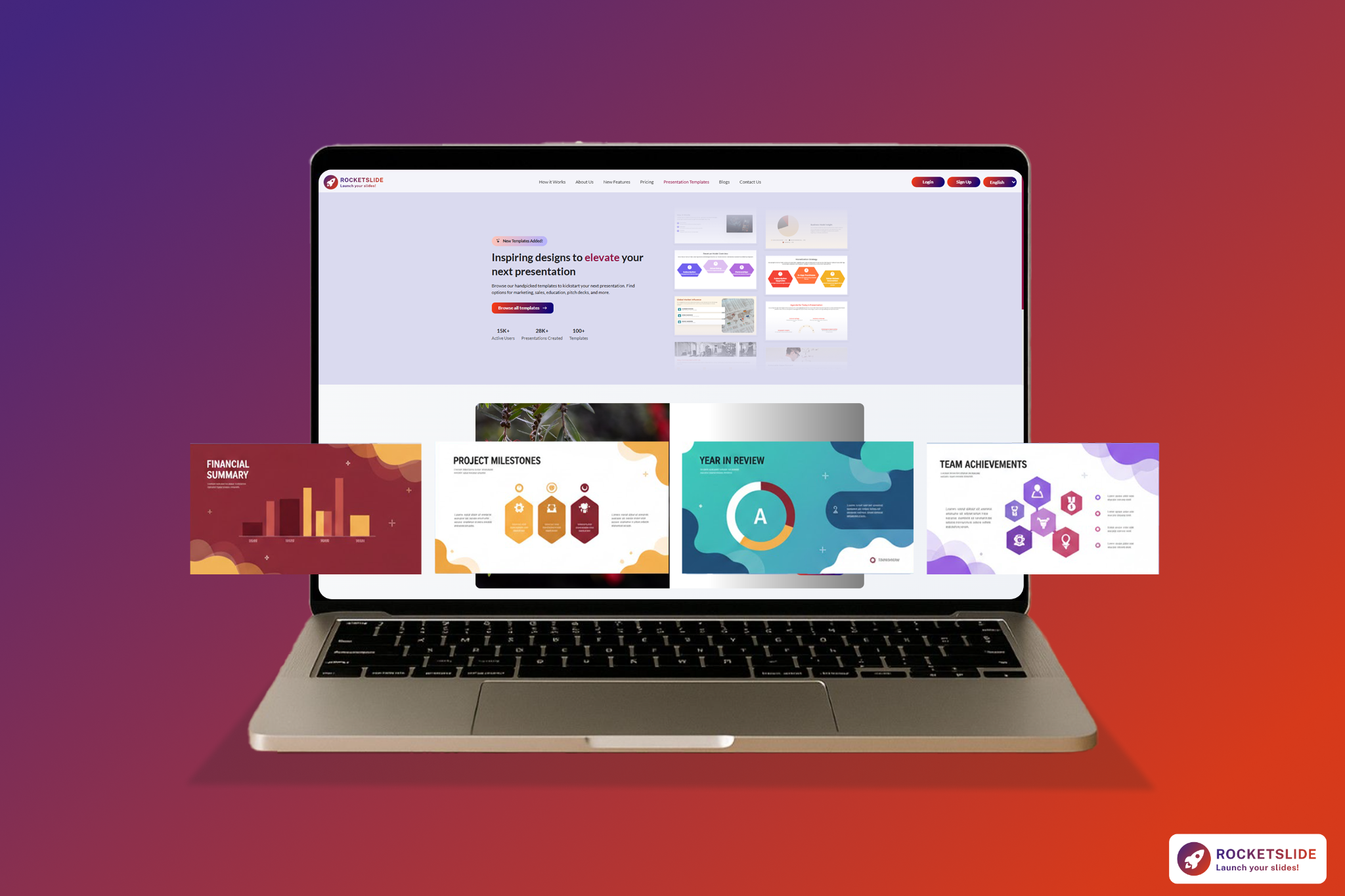
RocketSlide is designed to support modern presentation workflows. From static designs, it helps users transform ideas, documents, or outlines into structured, presentation-ready decks.
With RocketSlide, you can:
- Generate structured slide flows automatically
- Apply clean, professional layouts
- Customize content after generation
- Create presentations that are easy to present and easy to understand
This approach is useful, especially when creating multiple end-of-year presentations across teams.
You can explore how RocketSlide supports presentation creation by turning ideas and documents into structured slides with AI.
Final Thoughts: Close the Year with Clarity
Wrapping up the year is about creating clarity, alignment, and momentum for what comes next.
The right presentation templates help you tell a complete story. It helps where you started, how far you’ve come, and where you’re headed. And with the help of AI, you can do more with efficiency. Tools like RocketSlide support this by turning ideas and documents into presentation-ready slides.
If you’re reviewing performance, celebrating progress, or setting goals for the year ahead, well-structured presentations ensure your message lands clearly and leaves a lasting impression.
Don't start your year-end review from a blank slide. [Try RocketSlide for free] today and turn your year-long achievements into a professional deck in minutes.